Chat-App
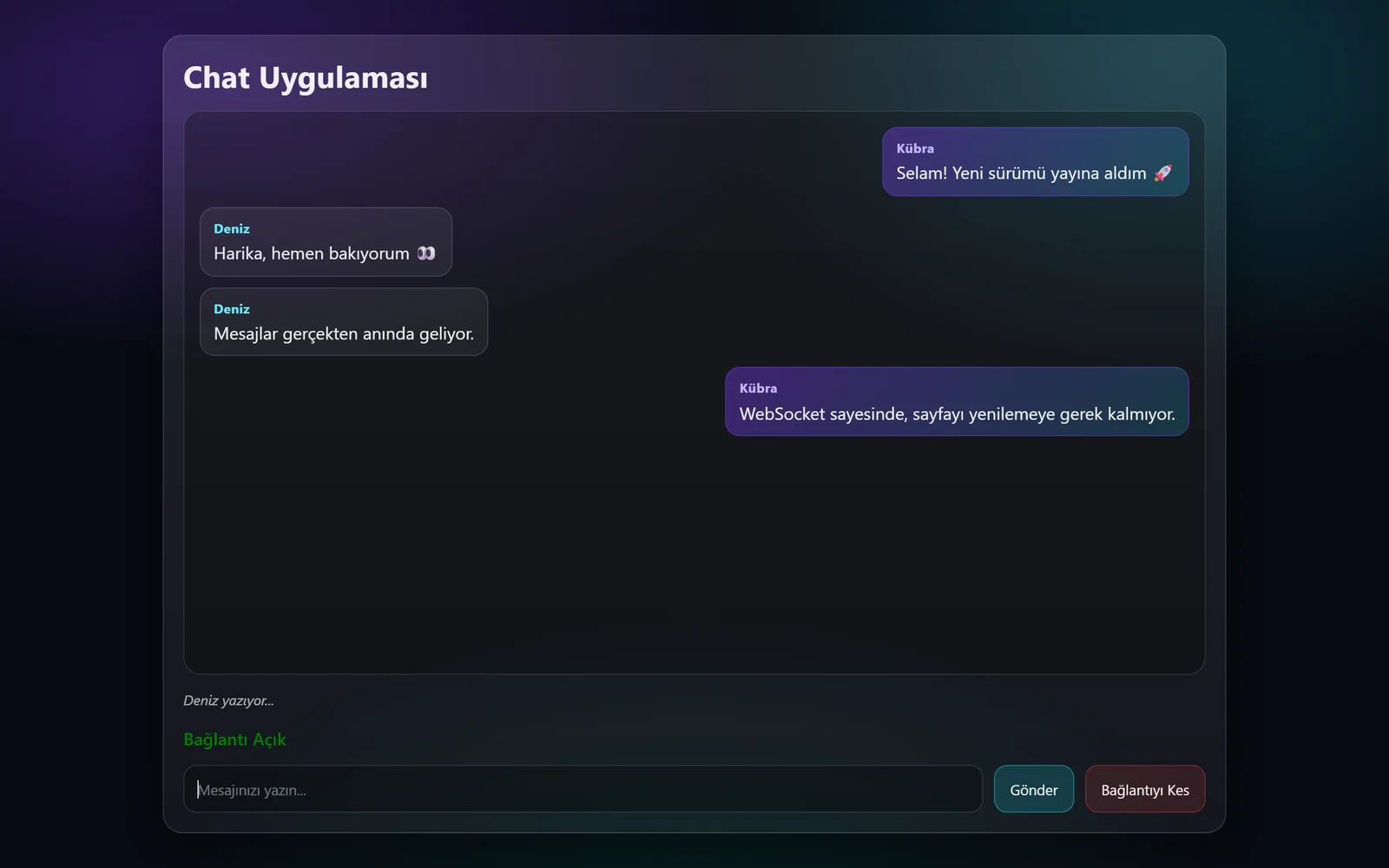
A real-time chat app built on WebSocket that delivers messages instantly, without refreshing the page.
- Type
- Web app
- Year
- 2025
- Role
- Individual
- Tech stack
- Node.js
- WebSocket
- JavaScript
- HTML
- CSS
chat.kubrainy.me
Problem
On a classic web page, the browser asks and the server answers. In a chat, a message has to appear on screen instantly, without the other side asking for anything. In this project I built the foundation of real-time communication: several people connect at once, and a message one of them writes reaches everyone else immediately.
Architecture
Browser A ──message──▶ Node.js server
                       (HTTP + ws)
                           │
                    broadcast to others
                      │          │
                      ▼          ▼
                 Browser B   Browser C
- Server (Node.js + ws): Serves the static files (HTML, CSS, JS) and accepts WebSocket connections on the same port. It keeps the connected clients in a list and forwards every incoming message to everyone except the sender.
- Client (HTML, CSS, JavaScript): The user enters a name first, then starts chatting. Your own messages and other people's look different. The connection status is shown on screen, and you can disconnect if you want.
- Message format: Messages are sent as JSON:
{ name, text }. For the "is typing..." notice, a separate{ type: 'typing', name }is sent.
Where I struggled
- Building the "is typing..." indicator without flooding the server. Sending a message on every keystroke means needless traffic. I send the notice at most once every 2 seconds, and on the other side the indicator disappears if no new notice arrives for 3 seconds.
- The connection breaking over HTTPS. When the site is opened over HTTPS, the browser doesn't allow an insecure
ws://connection. I pickws://orwss://for the connection URL based on the page's protocol. - Security when serving static files. Once I wrote my own small file server, I had to stop
../from reaching files outside the project. I normalize the requested path and strip any leading../segments.
What I learned
- I learned the lifecycle of a WebSocket connection (
open,message,close,error). - I saw in practice the difference between the request–response model and a connection that stays open.
- I learned basic server tasks like broadcasting a message to all clients and removing disconnected ones from the list.