StudyFlow
An offline Flutter app where students keep track of their courses, tasks and study time in one place.
- Type
- Mobile app
- Year
- 2026
- Role
- Individual
- Tech stack
- Flutter
- Dart
- MVVM
- Hive
- Dio
- fl_chart
Problem
A student keeps their courses in one place and their assignments in another. How long they actually study usually isn't recorded anywhere. At the end of the week, the answer to "How much did I study for which course this week?" is little more than a guess.
StudyFlow brings these three things together:
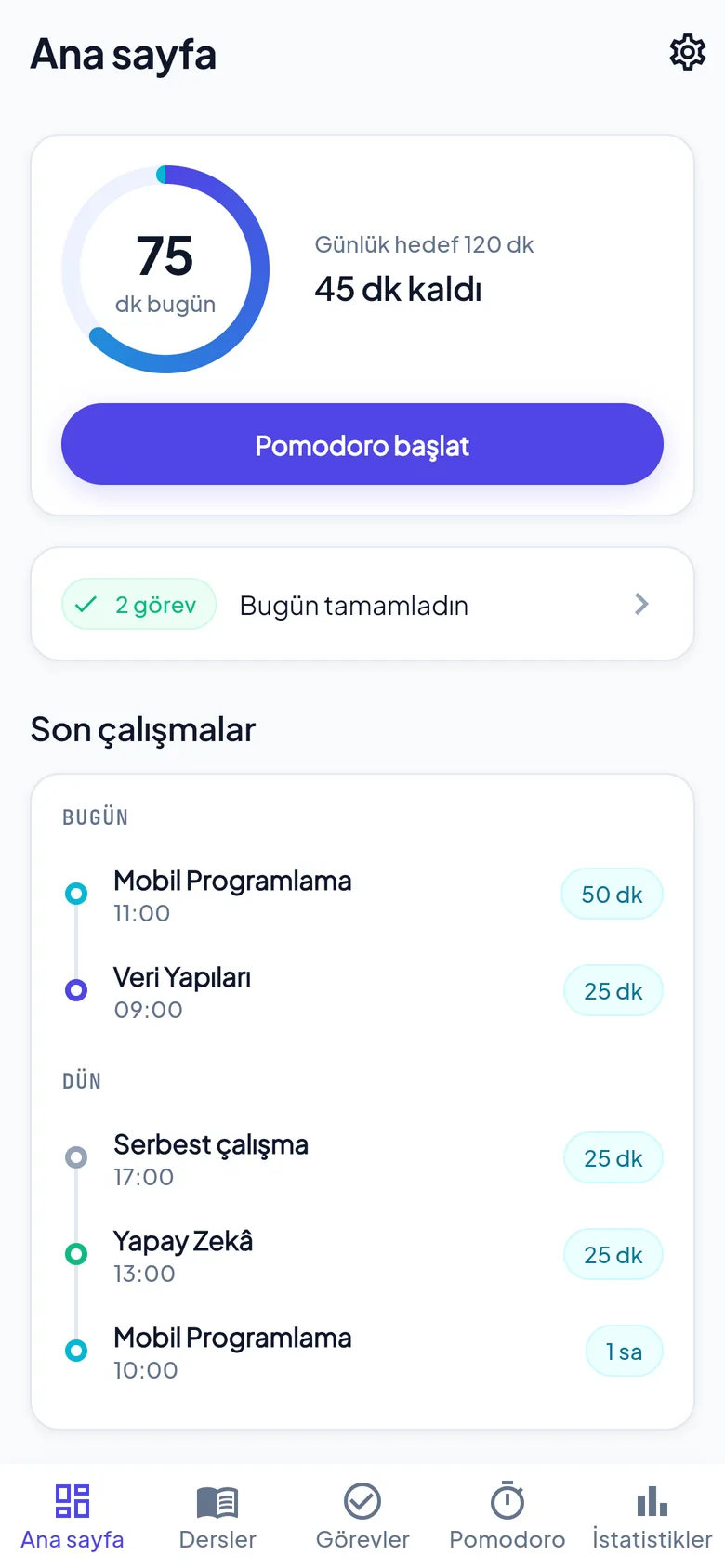
- Courses: Task progress and total study time for each course.
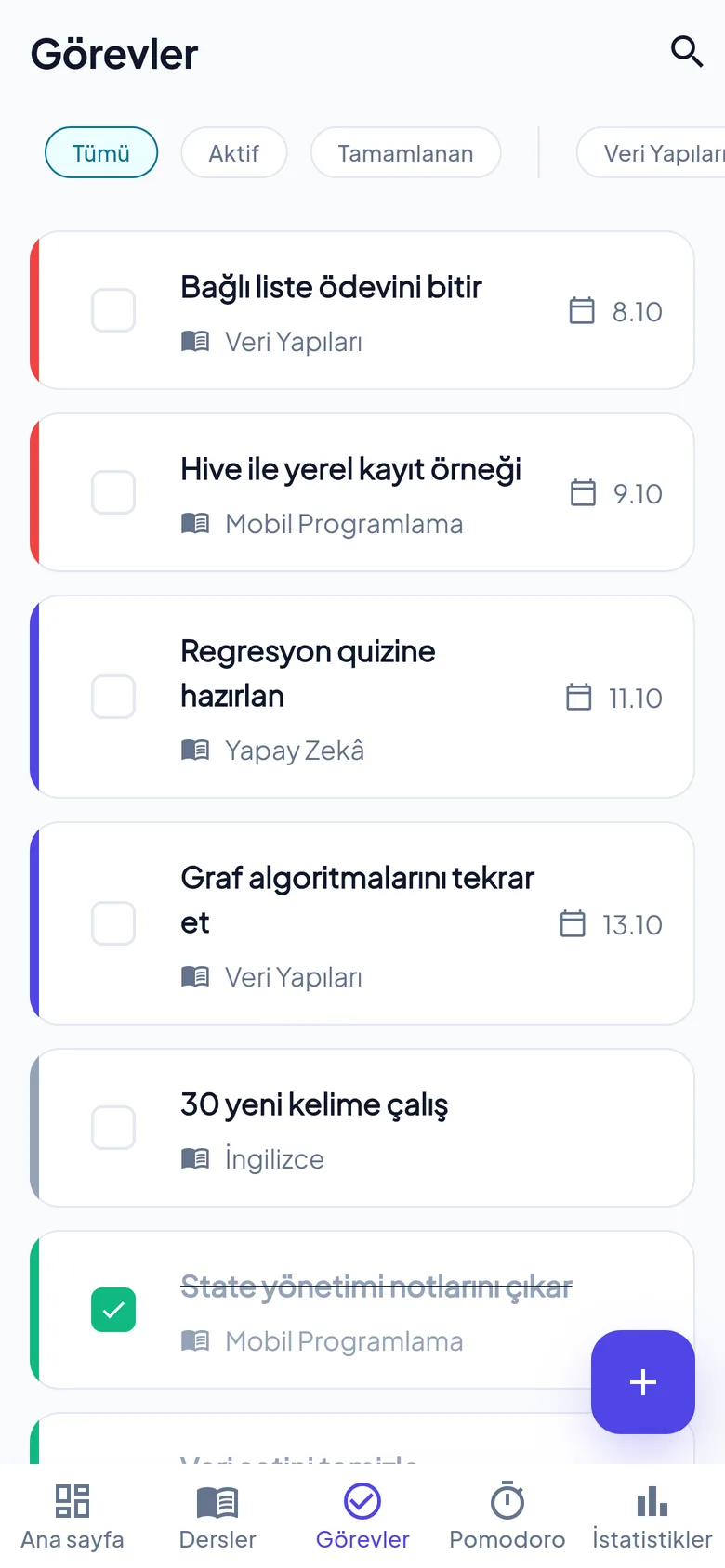
- Tasks: Priority, due dates, postponing, search, and filtering by status or course.
- Pomodoro: Work and break phases. You can study for a specific course or freely, and every finished session is saved.
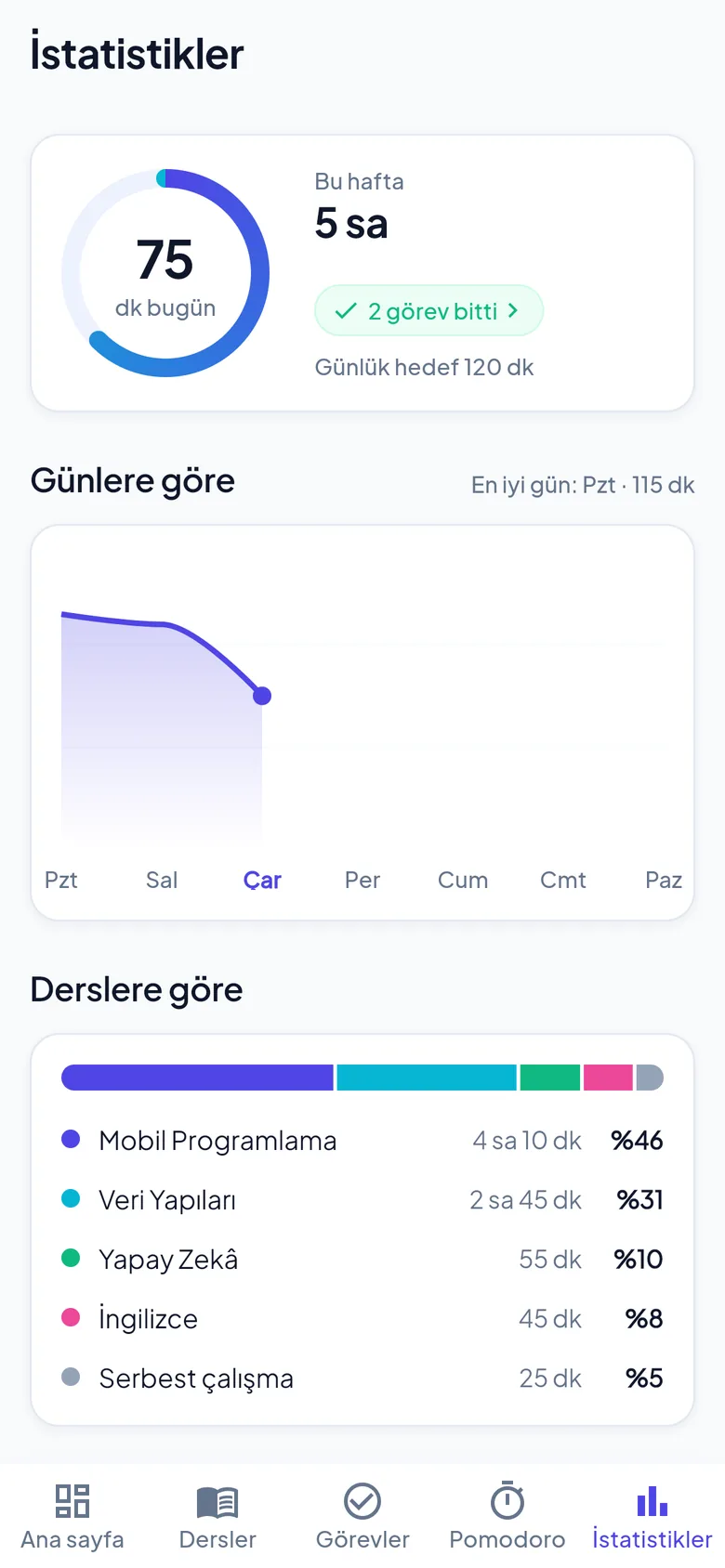
- Statistics: A daily goal ring, a Monday-to-Sunday weekly chart and a breakdown by course.
All data stays on the device, and the app works without an internet connection.
You can try the web version at studyflow.kubrainy.me without installing anything. In the web version, data is stored in the browser.
Architecture
I built the app with MVVM. Data flows in one direction:
View         draws the screen
  │
  ▼
ViewModel    holds the screen state
  │
  ▼
Repository   the only door to the data
  │
  ▼
Hive         local database
- The View only draws and passes the user's taps on to the ViewModel. It does no calculations and reads no data.
- The ViewModel is a
ChangeNotifier. It holds the screen's state (loading, empty, error, success) and notifies the screen when it changes. It knows nothing about widgets orBuildContext. - The Repository is the only door between the ViewModel and the database. It's the only thing that touches Hive.
- Pure calculations (like the statistics) live in a separate class, so they can be tested independently of the screen and the database.
Every feature lives in its own module (dashboard, subjects, tasks, pomodoro, statistics). Each module registers its own routes and dependencies with flutter_modular; pages get their ViewModel with inject. I used fl_chart for the charts.
To make moving to a server easier later on, I also wrote a REST layer with Dio. This layer never touches the network: a local adapter inside the app answers the requests. I explained this approach in a separate post.
Where I struggled
- Keeping the Pomodoro timer accurate. The obvious idea is to subtract one from the counter every second. But a
Timerdoesn't always fire exactly on time. So instead of counting ticks, I keep the time by calculating how much has passed since a start timestamp. When paused, I store the time elapsed so far; when resumed, I take a new start timestamp. If the duration is changed in the settings while the timer is running, the running session still ends with the duration it started with. - Testing time-dependent code. When calculations like "today" or "this week" depend on the real clock, tests get hard to write. I passed the clock into the ViewModels and the statistics calculations from outside (
now), so in tests I can use any day and time I want. - Keeping the layers clean. When you're in a hurry, it's very easy to put a calculation inside a widget. Every time, I asked myself "Where does this code belong?" I wrote about that question in my MVVM post.
Testing
The test/ folder mirrors lib/ and contains 44 test files. Repositories, the Dio layer and the local adapter, ViewModels, statistics calculations and screen widgets are all covered. Since I mock the repositories with mocktail, the ViewModel tests don't need a real database.
What I learned
- I learned to apply MVVM in a real app without breaking its rules.
- I saw how much easier testing gets when the clock and the dependencies are passed in from outside.
- I learned to set up routing and dependency management in a modular Flutter project.